Oooo that’s Magnificent. If I had the cash this would have been top of my list. Congratulations and happy listening. Do you think this will become your #1 iem?
Plus, I hope you can find time.e to let us know what you think of them. I know your very busy. Best wishes.
@taronlissinore - I just saw a guy on youtube who has a channel talking about his fleet of supercars and custom scifi garage - Bugattis, McLarens, Koenigsegg, Pagani, etc., etc. - if he just got into headphones instead he could get all of those and save save a fortune!
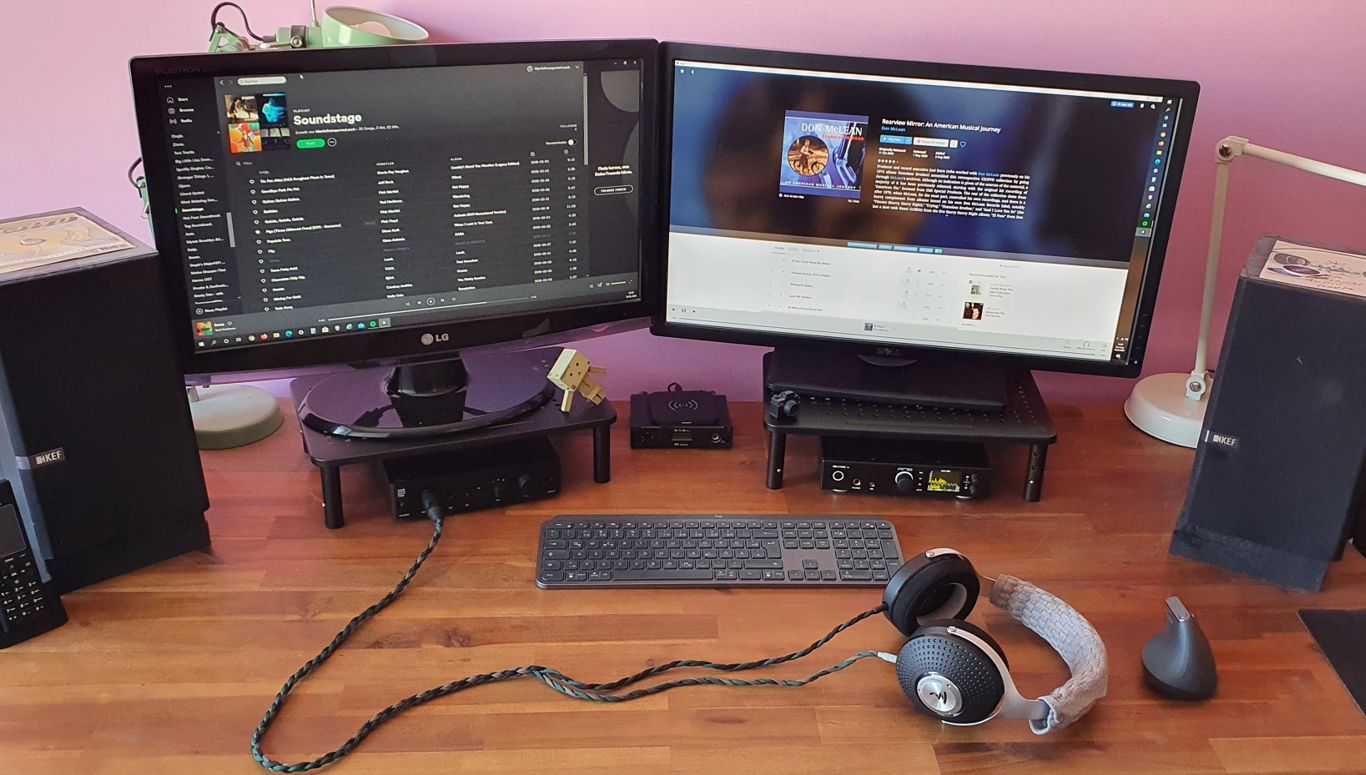
It’s a very good keyboard and goes with my MX Master 3. Both are great for using two computers because of Logitech Flow, but the keyboard takes a second to switch after it’s been idle for a while, so I sometimes end up typing on one computer while I’m trying to log into the other.
Very first world problem that can be solved by just keeping it plugged in, but as you can see by my pristine desk, I’m not one for cables xD
Main selling point for me was getting rid of cables.
What stood out was Flow(love the idea) and to be honest- I had no time to test it, yet.
So my wife is super happy with the setup, with our main PC.
Have to edit some vacations vids and pics in the near future on it, if I overcome my lazyness.
Gonna install the “options” software on our notebook and use flow, then.
Options is a pretty huge value add for me.
I’m not sure about the Vertical MX, but on the MX Master series, you can program just about every extra button. I have both the thumb and middle buttons as gesture buttons for screenshot, cut, copy, paste etc…
Not sure if it’s sped up my workflow objectively, but it certainly feels like it.
Pro-tip for Flow, There’s an option to require holding CTRL down to switch between computers.
I found that this made the feature MUCH more usable because it keeps me from accidentally going from my desktop to my laptop and vice versa.
And since you can program the buttons on the mouse, just assign CTRL to an unused button and you now have synchronized switching between computers that’s quicker than manual switching, and you still have control over whether or not you want to switch.
The only other problem I have with it is the 3-4 seconds delay that it takes the keyboard to switch after it “wakes up”, during which you will be typing on the computer it was last connected to. (I’ve unintentionally changed many an excel document doing this). If you don’t want to wait, plugging it in will stop it from going to sleep. You can also hover your hand over the keyboard to wake it up, and then switch with the mouse. That’ll give it some time to get its bearings.
I find myself oogling at other mice/keyboards, but for working from home, this combo kinda beats everything else functionally. I guess that’s a good thing though since mechanical keyboards can be a very expensive rabbit hole too, and I’m deep in Hifi right now lol.
I guess it’s
Thank you very much for the inside and the pro tip!
The vertical mx has not the amount of buttons but the forward button does not get much use. We could programm it with Ctrl.
I won’t use Flow very often, as we are ok with 2 screens connected to the PC(27inch 1440p + 24inch 1080p) most of the time.
But in the past, I found me wanting this Feature, while not knowing of its existance.
Had connected the notebook to a tiny wireless mouse and kept getting it mixed up with the PC wired mouse on the same desk.
In near future we are moving the KEF speakers away from the desk on some speaker stands. So there will be more space on the desk for the notebook. Really looking forward to use flow with your tips!
I had a look at the MX Master 3, but we are into the ergonomics of vertical mice and keep our health on high priority. We both had minor problems with tendinitis. They were gone after a few weeks with switching to a vertical mouse at the office and at home.
That’s one thing that the MX keys aren’t great for. Using the normal layout makes it look great, but I need to take breaks to give my wrists a chance to rest. I’ve gone through a few painful meetings where my wrists were crying while I was taking notes.
I had the problems from taking pictures with very heavy cameras over long periods and did not stop, while immense pain. Had to adjust ergonomics while shooting and also for the editing. Otherwise I had to stop the hobby.
New Headphones Part 1: The Stand
This really nice looking stand arrived today, but I have no headphones to put on it. However Headphones.com just sent me a notification that my Stellia will arrive tomorrow, so hopefully part 2 comes soon.
I found this stand by accident, when I was googling “wood and leather headphone stand” and came across this link:
When I contacted voltiaudio@gmail.com, they told me that they don’t sell them anymore, because they couldn’t find enough people to buy them at the original price of $149. However they had a lot of old stock still boxed up and were nice enough to open them up and send me some photos so that I could choose the leather color that I wanted to go with the mahogany base. I also got a small discount, although I wasn’t going to bargain with them because with the world as it is, we should be supporting small manufacturers.
Okay so not exactly Headphone related, but somewhat related as it will be used in conjunction as an accessory to better enjoy the headphone experience. Also saw some of the nice keyboard and mouse unboxing, which I appreciated as I am also an owner and fan of the Logitech MX Keys/Mouse combo.
He can stay as long as he wants! The one year they will not lose another one to the Buckeyes is 2020! I kid, I kid… actually wish they would be more consistent as it would be better for the B1G.


 However


 He can stay as long as he wants! The one year they will not lose another one to the Buckeyes is 2020! I kid, I kid… actually wish they would be more consistent as it would be better for the B1G.